
Why Meta Tags Still Control Your Search Success
Meta Tag Guide 2026 starts with a simple truth: invisible code controls how millions of people discover your website. Every search result displays two critical elements—a title and description—pulled directly from your meta tags.
Website owners publish brilliant content daily, yet their pages remain buried on page five of Google. The problem isn’t content quality. It’s broken, missing, or poorly optimized meta tags that search engines can’t process correctly.
Manual meta tag creation wastes hours and introduces costly errors:
Forgotten character limits truncate your best selling points
HTML syntax mistakes break tags completely
Duplicate descriptions confuse search engines
Special characters crash code without warning
Meta tag generators solve these problems in seconds. This guide reveals exactly how these tools work, when to use them, and how to avoid the mistakes that sabotage search visibility.
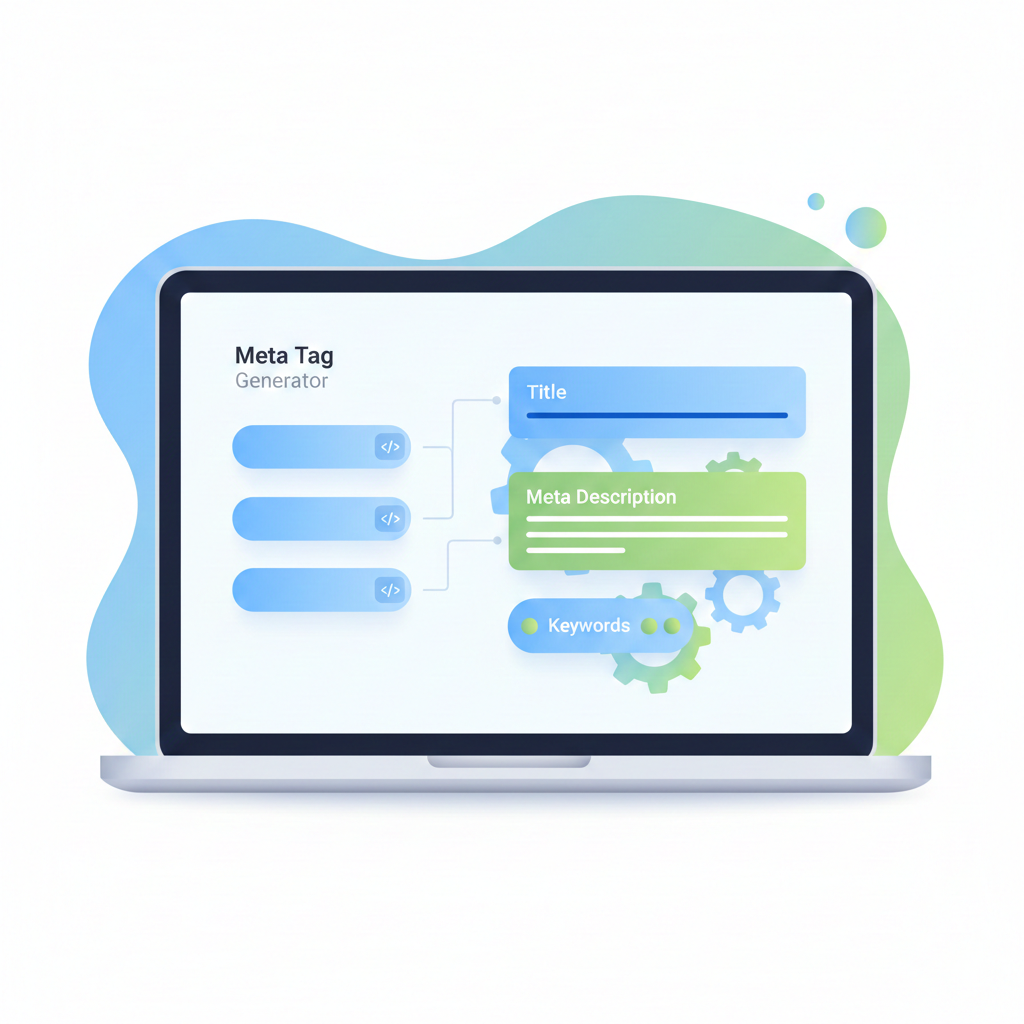
What Are Meta Tags and Why Do They Matter in 2026?
Meta tags are HTML code snippets that tell search engines what your page contains. They don’t appear on your visible page but live in the header section of your website’s code.
Search engines read these tags first, before analyzing your actual content. They use this information to create the title and description shown in search results.
Three meta tags control your search presence:
Title Tags: The clickable headline in search results. This appears in browser tabs and social media shares.
Meta Descriptions: The summary text below your title in search results. This convinces searchers to click your link instead of competitors.
Viewport Tags: Code that ensures your site displays correctly on mobile devices.
In 2026, search engines process billions of pages daily. Properly formatted meta tags give your content the best chance of ranking and attracting clicks.
Without them, you’re invisible.
The Real Cost of Missing or Broken Meta Tags
Pages without meta tags face severe disadvantages in search results.
When meta tags are missing, search engines generate descriptions automatically by grabbing random text from your page. This process produces terrible results:
Sentences cut off mid-word
Navigation menu text displayed as descriptions
Contact information shown instead of value propositions
Completely irrelevant content pulled from footer sections
Broken meta tags create different problems. One misplaced quotation mark in your HTML code breaks the entire tag. Search engines can’t read it, so they skip your page entirely.
Duplicate meta tags across multiple pages confuse search algorithms. They can’t determine which page deserves to rank for specific searches, so none of them do.
Character limit violations truncate your carefully crafted messages. Google displays approximately 155-160 characters for descriptions. Everything beyond that gets cut off with “…” just when you reach your call to action.
These technical failures cost you traffic, leads, and revenue every single day.
What Problems Does This Tool Solve?
Meta tag generators address specific pain points that waste time and damage search performance:
Eliminates HTML syntax errors that break meta tags and prevent search engines from reading page information correctly
Enforces character limits for titles (typically 50-60 characters) and descriptions (usually 150-160 characters) before search results truncate them
Removes technical barriers for non-developers who need proper meta tags without learning HTML coding
Standardizes formatting across multiple pages to maintain consistent SEO practices throughout websites
Prevents common mistakes like duplicate descriptions, missing title tags, or improperly closed HTML elements
Saves time by generating multiple meta tag types simultaneously instead of writing each one individually
Provides real-time previews showing how tags will appear in search results before implementation
Ensures special character encoding so quotation marks, apostrophes, and symbols display correctly in search snippets
How Does This Tool Work?
Meta tag generators follow a straightforward three-stage process that transforms raw information into properly formatted code:
Stage 1: Input Collection
Users enter website information into clearly labeled form fields. The generator requests essential elements:
Page Title Field: Captures the main heading that will appear as the clickable link in search results. This title represents the page’s primary topic and brand identity.
Description Field: Collects a concise summary explaining what visitors will find on the page. This text appears below the title in search results and influences whether people click through.
Additional Fields: Gather keywords, author information, viewport settings for mobile responsiveness, character encoding specifications, and social media sharing parameters for platforms like Facebook and Twitter.
Modern generators include dropdown menus for common options, reducing manual typing and preventing inconsistencies. Users select values rather than remembering exact syntax.
Stage 2: Processing and Validation
The tool performs several automated checks before generating code:
Character Counting: Happens in real-time. As users type descriptions, counters display remaining characters before search engines truncate the text. Visual warnings appear when content exceeds recommended limits.
Special Character Validation: The generator automatically converts quotation marks, ampersands, and other special characters to proper HTML entities to prevent code breaks.
Standards Compliance: The tool structures tags according to current HTML5 standards, ensuring compatibility with modern browsers and search engines. Outdated formats get automatically updated to contemporary specifications.
Stage 3: Code Output and Implementation
The generator produces clean HTML code ready for immediate use:
html<meta name="description" content="Your optimized page description here"> <meta name="keywords" content="relevant, keywords, here"> <meta name="viewport" content="width=device-width, initial-scale=1.0">
Users receive copy-paste ready code with proper indentation and formatting. No manual adjustments required. The tool includes clear instructions explaining where to insert the code within website headers—specifically in the <head> section of HTML documents.
Advanced generators provide multiple output formats—standard HTML, WordPress-specific code, or platform-tailored variations for different content management systems.

What Makes This Tool Useful for Users?
The value of meta tag generators extends beyond simple convenience. Each feature delivers specific benefits that improve both workflow efficiency and SEO performance.
Accuracy and Error Prevention
Hand-coded meta tags frequently contain invisible mistakes. A missing closing bracket, improper quotation mark, or wrong attribute name breaks functionality silently. Search engines ignore malformed tags, but websites receive no error messages explaining the problem.
Benefit: Generators eliminate these errors through programmatic validation. The tool won’t produce invalid code. Users can trust that output will function correctly when implemented.
Time Efficiency at Scale
A single meta tag set takes five to ten minutes to write manually when accounting for character counting, HTML formatting, and syntax checking. Multiply this across a fifty-page website, and meta tag creation consumes over eight hours.
Benefit: Generators reduce this to seconds per page. Users focus energy on writing compelling descriptions rather than wrestling with technical implementation. The efficiency gain becomes exponential for large websites.
Consistency Across Projects
Manual meta tag creation introduces variations in formatting style, character usage, and structural approach. Different developers on the same team might format identical information differently, creating maintenance challenges.
Benefit: Generators standardize output. Every meta tag follows the same structural pattern, making future updates easier. Teams can change one setting and regenerate all tags with consistent formatting.
Educational Value for Beginners
New website owners learn proper meta tag structure by using generators repeatedly. The tool shows correct HTML syntax in action, building understanding through practical examples rather than abstract documentation.
Benefit: Users gradually internalize character limits, required attributes, and best practices by seeing the same patterns generated consistently. The tool becomes a teaching aid rather than just a shortcut.
Preview Functionality
Advanced generators show real-time previews simulating how meta tags will appear in search results. Users see their titles and descriptions rendered as they would look on Google, Bing, or other search engines.
Benefit: This preview capability prevents surprises. Users discover truncation issues, awkward phrasing, or missing information before publishing pages. Adjustments happen in the planning phase rather than after deployment.
When Should Someone Use This Tool?
Meta tag generators serve specific scenarios where their benefits justify the workflow adjustment:
During Initial Website Development: Generators create meta tags for all pages simultaneously. Developers input content for homepage, about pages, service descriptions, and product listings, generating consistent tags across the entire site structure. This establishes strong SEO foundations from launch day.
When Launching Content Marketing Campaigns: Generators streamline meta tag creation for dozens of blog posts, articles, or resource pages published monthly. Content teams batch-generate tags for upcoming publications, maintaining consistency without slowing production schedules.
For E-commerce Product Catalogs: Generators handle meta tags for hundreds or thousands of product pages. Merchants input product names and descriptions, automatically generating optimized meta tags that improve product visibility in search results without manual coding for each item.
During Website Redesigns: Generators recreate meta tags for existing pages using updated branding, messaging, or keyword strategies. Teams avoid manually editing hundreds of individual page headers, instead regenerating all tags with new parameters.
When Optimizing Underperforming Pages: Generators help revise meta tags for pages with poor search visibility. Marketers test different title and description variations, using generators to implement changes quickly and measure results.
For Clients with Limited Technical Knowledge: Agencies use generators to create meta tags that clients can implement independently. The tool outputs simple copy-paste code that non-technical clients can add to their websites without developer assistance.
When Maintaining Multi-Language Websites: Generators create meta tag variations for different language versions of the same pages. Translation teams input localized content, and the tool generates properly formatted tags for each language variation.
What Common Mistakes Do Users Make?
Even simple tools create opportunities for user error when fundamental concepts are misunderstood:
Keyword Stuffing in Descriptions
Users try to cram excessive keywords into meta descriptions, thinking more keywords equal better rankings. Search engines recognize this pattern and may reduce page credibility. Worse, readers find the resulting text unnatural and off-putting.
Solution: Descriptions should read like natural sentences that entice clicks, not keyword lists. Write for humans first, search engines second.
Duplicating Descriptions Across Pages
Users sometimes generate one description and reuse it for multiple pages to save time. This defeats the purpose of unique meta tags and confuses search engines about which page best matches specific queries.
Solution: Each page offers different content and value, so descriptions should reflect those unique differences. Invest time in creating distinct descriptions for every important page.
Ignoring Character Limits
Users write compelling long-form descriptions without checking length. Search engines typically truncate descriptions beyond 155-160 characters, often cutting off crucial information or calls to action. Google’s display length can vary slightly based on pixel width, but staying within recommended limits ensures complete display.
Solution: Generators show character counts—monitor them actively. Front-load the most important information in the first 120 characters to ensure visibility even on mobile devices.
Writing for Search Engines Instead of Humans
Users create technically correct but unpersuasive meta tags, stuffed with keywords but lacking genuine appeal. The best meta descriptions convince real people to click through, not just satisfy algorithmic requirements.
Solution: Balance SEO optimization with genuine value for readers. Ask yourself: “Would this description make me want to click?”
Neglecting Title Tag Optimization
Users focus exclusively on descriptions while leaving titles generic or vague. Title tags carry more SEO weight than descriptions and appear more prominently in search results.
Solution: Titles deserve equal or greater attention than descriptions. Include primary keywords near the beginning and make titles compelling enough to earn clicks.
Misunderstanding Keyword Meta Tags
Users invest significant time in keyword tags that modern search engines largely ignore for ranking purposes. Google hasn’t used meta keywords for ranking since 2009, yet many generators still include them for legacy compatibility.
Solution: Prioritize titles and descriptions over outdated keyword tags. If your generator includes keyword fields, don’t spend more than a minute on them—focus energy where it matters.
Forgetting Mobile Preview Differences
Users only check desktop search result previews. Mobile displays show fewer characters for both titles and descriptions—sometimes 20-30 characters less than desktop.
Solution: Use generators that offer mobile preview functionality. Ensure meta tags work effectively on both screen sizes by keeping the most critical information at the beginning.
Implementing Tags Incorrectly
Users paste generated code in wrong locations. Meta tags belong in the HTML <head> section, not the <body>. Placement errors prevent tags from functioning regardless of how well they’re written.
Solution: Follow generator instructions carefully. If using WordPress or other CMS platforms, use designated meta tag fields or SEO plugins rather than manually inserting code.
Failing to Update Tags Over Time
Users generate tags once during initial website creation and forget to revise them as pages change. As content evolves—new products, updated services, refreshed messaging—outdated meta tags create disconnect between search promises and actual page content.
Solution: Schedule regular meta tag audits every six months. Review pages with the most traffic or the worst performance, updating tags to reflect current content and opportunities.
Questions and Answers
What are meta tags and why do websites need them?
Meta tags are snippets of HTML code that provide information about web pages to search engines and browsers. They don’t appear on the visible page but exist in the code’s header section. Websites need them because search engines use this information to understand page content and display appropriate titles and descriptions in search results. Well-crafted meta tags improve click-through rates and search visibility.
Can meta tags improve search engine rankings directly?
Meta tags don’t directly influence search rankings in most modern algorithms. Search engines prioritize actual page content, backlinks, user experience signals, and engagement metrics over meta tag content. However, well-written meta descriptions improve click-through rates from search results, which sends positive engagement signals to search engines and can indirectly benefit rankings over time.
How long should meta descriptions be?
Meta descriptions should stay between 150-160 characters for optimal display in search results. Google typically truncates descriptions beyond this length, cutting off important information. The exact truncation point varies based on pixel width rather than character count, but 160 characters serves as a reliable guideline. Mobile displays may show even fewer characters, so front-load the most important information.
Do all meta tags serve the same purpose?
No, different meta tags serve distinct functions. Description tags summarize page content for search results. Viewport tags control mobile display responsiveness. Robots tags tell search engines whether to index pages or follow links. Open Graph tags optimize how content appears when shared on Facebook. Twitter Card tags do the same for Twitter. Each tag type addresses specific technical or marketing needs.
How often should meta tags be updated?
Meta tags should be reviewed whenever page content changes significantly or when search performance declines. New products, updated services, rebranded messaging, or shifted business focus all warrant meta tag revisions. For active websites, conducting meta tag audits every six months helps ensure tags remain accurate, relevant, and effective at driving traffic.
Can the same meta description be used for multiple pages?
Using identical descriptions for multiple pages should be avoided whenever possible. Each page offers different content, targets different keywords, and serves different user needs—descriptions should reflect those unique differences. Duplicate descriptions confuse search engines about which page best matches specific queries and waste opportunities to target varied search terms across your website.
What happens if meta tags are missing entirely?
When meta tags are missing, search engines generate descriptions automatically by pulling text from page content. This automated process often produces poor results—cutting sentences mid-thought, including navigation menu text, or missing key selling points entirely. Manual meta tag creation ensures control over exactly how pages appear in search results and social media shares.
Are meta keywords still relevant for SEO?
Meta keywords have been obsolete for major search engines since around 2009. Google explicitly announced it ignores the meta keywords tag for ranking purposes. Time spent optimizing keyword tags would be better invested in improving titles, descriptions, and actual page content. Most modern generators still include keyword fields for legacy platform support, but they provide minimal practical value.
How do meta tags affect social media sharing?
Social platforms use specialized meta tags—Open Graph for Facebook and LinkedIn, Twitter Cards for Twitter—to control how shared links appear. These tags specify which images, titles, and descriptions display when users share pages. Without these tags, social platforms choose arbitrary content from your page, often producing unappealing or irrelevant previews that reduce engagement and click-through rates.
Should every page on a website have unique meta tags?
Every important page should have unique meta tags. Homepage, service pages, product pages, and high-traffic blog posts all deserve custom-written meta tags. For less critical pages like tag archives or minor category pages, templated meta tags may suffice. The key is ensuring pages competing for the same search rankings have distinct, optimized descriptions.
Summary: Key Takeaways
Meta tag generators eliminate manual HTML coding, prevent syntax errors, and enforce character limits that keep titles and descriptions from being truncated in search results
The tools work through a simple three-step process: collecting user input, validating content and formatting, then outputting clean, implementation-ready HTML code
Primary benefits include massive time savings for large websites, guaranteed error-free output, consistent formatting across all pages, and real-time search result previews
Best use cases include new website launches, ongoing content marketing, e-commerce catalogs, site redesigns, performance optimization, and client work requiring non-technical implementation
Common mistakes include keyword stuffing, reusing descriptions across pages, exceeding character limits, neglecting titles, and failing to update tags as content evolves
Meta descriptions should stay within 150-160 characters, prioritize human readers over pure keyword optimization, and be reviewed every six months to maintain relevance
SEO-Friendly Title Suggestions
Meta Tag Generator: Create Perfect SEO Tags in Seconds Without Coding
Free Meta Tag Generator Tool—Easy HTML Meta Tags for Better Rankings
How to Use a Meta Tag Generator for Higher Click-Through Rates