
Every page on the internet is competing for attention. Before a user decides to click on a search result, they read the title and description sitting beneath it. These are controlled by meta tags — and in 2026, writing them well, or generating them with the right tool, is one of the most practical SEO wins available to any website owner.
What Are Meta Tags and Why Do They Matter for SEO?
Short answer: Meta tags are HTML code snippets that tell search engines what a webpage is about. The title tag and meta description are the two most important ones — they directly shape how a page appears in Google search results and influence whether users click on it.
Meta tags live inside the <head> section of a webpage and are invisible to visitors but highly readable by search engines. Getting them right affects both rankings and click-through rates.
The most important meta tags to know in 2026 are:

- Title tag — tells Google the name and topic of the page; appears as the blue clickable headline in search results
- Meta description — a 140–160 character summary shown beneath the title in search snippets
- Robots meta tag — instructs search engines whether to index a page or follow its links
- Canonical tag — prevents duplicate content issues by pointing to the preferred version of a page
One important distinction is the difference between SEO meta tags and Open Graph tags. SEO meta tags are written for search engines, while Open Graph tags control how a page appears when shared on social platforms like LinkedIn or X. Both serve real purposes but should be managed separately.
As for meta keywords, their format in 2026 is essentially irrelevant. Google stopped using them as a ranking signal years ago due to widespread abuse. Most SEO professionals skip them entirely.
Why Is My Meta Description Not Showing in Google?
Short answer: Google rewrites meta descriptions when it decides the custom version doesn’t match the user’s search intent or doesn’t accurately reflect the page content. Duplicate descriptions, keyword mismatches, and descriptions that are too long or too short are the most common triggers.
This is one of the most common frustrations for website owners and content marketers. Here’s why it happens and how to reduce it:
- Google rewriting meta descriptions is standard behavior. If the custom description doesn’t align with what a user searched for, Google pulls relevant text directly from the page body instead. Writing descriptions that closely reflect actual page content — and naturally include the target keyword — reduces how often this happens.
- Title length on mobile search is a frequently overlooked issue. Titles longer than 60 characters often get cut off on smartphone screens. Since more than half of all searches happen on mobile in 2026, titles should be written with mobile display as the primary standard.
- Duplicate meta description issues are common on sites with category pages, filtered URLs, or blog archives. When multiple pages share the same description, Google may rewrite all of them or reduce the ranking value of those pages. A regular site audit to identify and fix duplicates is essential SEO maintenance.
The safest approach is to write unique, keyword-relevant descriptions for every page, keep them between 140 and 160 characters, and audit the site regularly for duplication.
How Do You Generate Meta Tags That Actually Increase Click-Through Rate?
Short answer: High-performing meta tags combine keyword relevance with genuine appeal to the reader. A good title is clear, specific, and within character limits. A good description acts like a mini-advertisement — it acknowledges what the user wants and includes a soft call to action.
Ranking on page one of Google is only half the battle. The other half is earning the click. Meta tags are the primary tool for doing that.
For writing SEO-friendly titles:
- Include the primary keyword as early in the title as possible
- Keep it between 50 and 60 characters for full display on both desktop and mobile
- Use power words, numbers, or the current year to signal freshness (e.g., “Best Free Tools in 2026”)
- Avoid keyword stuffing — one clear, natural keyword placement outperforms forced repetition
For writing a meta description that converts:
- Open with the user’s problem or question, then offer the solution
- Include the primary keyword naturally within the first half of the description
- End with a gentle call to action: “Find out how,” “See the full guide,” or “Get started today”
- Stay between 140 and 160 characters to avoid truncation in search results
Making the snippet look professional also matters. A well-written title paired with a clean URL and a complete description signals authority and trustworthiness before the user has read a single word of the actual page.
What Is the Best Free Meta Tag Generator for Beginners and Professionals?
Short answer: The best meta tag generators are tools that let users fill in simple fields and instantly output ready-to-use HTML code. For professionals, the key features to look for are bulk generation, platform integration, and a real-time SERP preview.
A meta tag generator removes the need to write HTML manually, making the process faster and less error-prone for both beginners and experienced SEO professionals.
Features worth looking for in any meta tag generator:
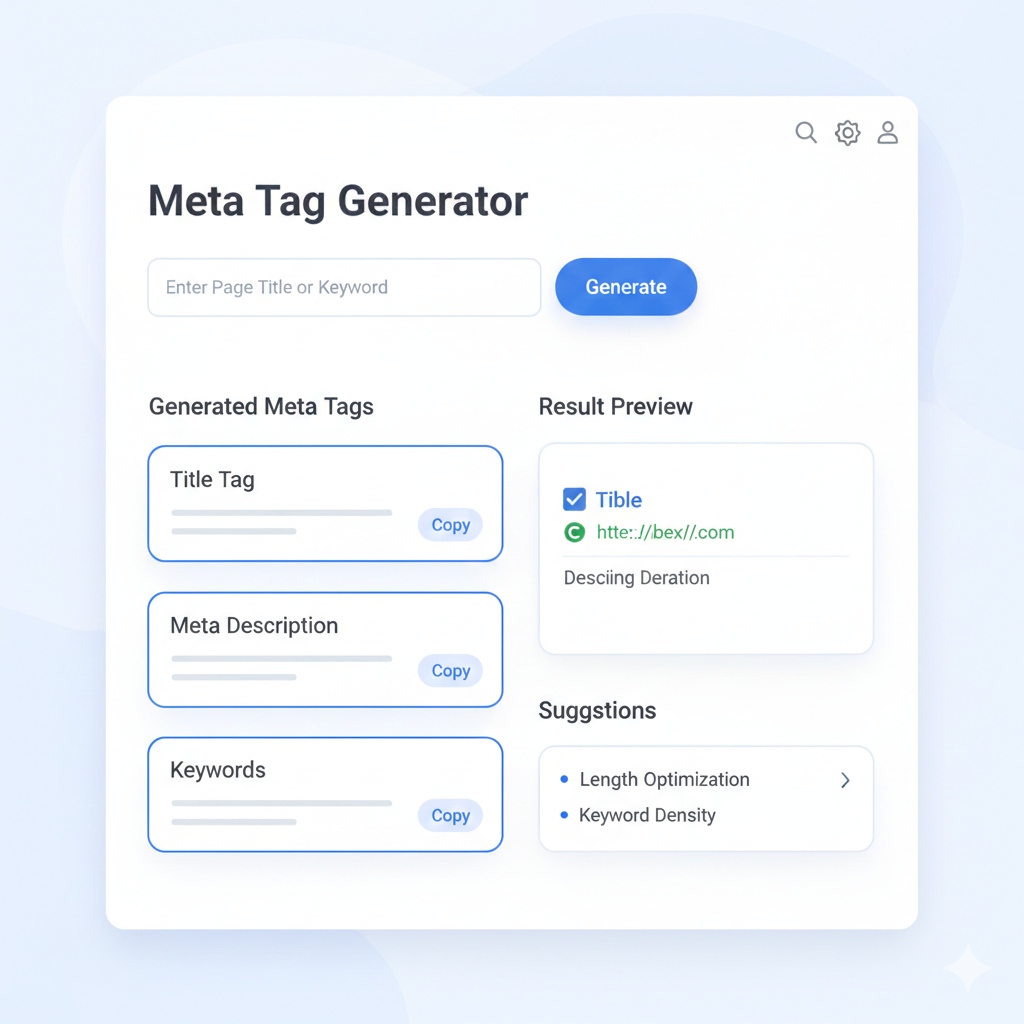
- Real-time SERP preview — shows exactly how the title and description will appear in a Google search result before publishing, making it easy to catch truncation issues or weak copy on the spot
- Bulk meta tag generator capability — allows users to generate tags for multiple pages at once, ideal for content teams publishing large volumes of pages regularly
- WordPress and Shopify tool integration — platforms like Yoast SEO, RankMath, and Shopify’s built-in SEO fields allow meta tag management directly from the dashboard without touching any code
- Character counters — prevent titles and descriptions from exceeding recommended lengths
- Open Graph field support — lets users manage both search and social sharing tags in one place
For beginners, browser-based generators like Smallseotools or Metatags.io offer a no-install, no-cost starting point. For professionals managing larger sites, SEO suites with bulk editing and audit features are the more practical choice.
How Do You Automate Meta Tag Creation for Large Websites?
Short answer: Large websites use template-based rules and AI-powered tools to generate meta tags automatically at scale. For ecommerce sites scaling to hundreds or thousands of pages, automation is not optional — it is the only practical approach.
Writing meta tags manually for every page works at small scale. Once a website grows beyond 100 pages, the process becomes unsustainable without automation.
For ecommerce scaling specifically:
- Template rules pull product name, category, and key attributes into a pre-set title structure automatically
- Every product page gets a unique, relevant meta title without individual manual input
- Descriptions can be built from product data fields, keeping them varied and page-specific
For sites with 100+ pages, automation tools typically offer:
- Rule-based title and description templates applied across entire sections of a site
- Bulk editing capabilities that update hundreds of tags simultaneously
- Scheduled audits that flag duplicate descriptions, missing tags, or titles that exceed character limits
AI-powered meta tag tools have become significantly more capable in 2026. These tools analyse each page’s content and generate optimised title and description suggestions based on the page’s topic, target keyword, and likely search intent. They dramatically speed up the process and maintain consistent quality across large sites without requiring individual attention for every page.
When automation is combined with periodic audits — checking for duplicates, verifying lengths, and confirming descriptions aren’t being rewritten by Google — the result is a site where every page presents a polished, competitive presence in search results.
Meta tags are a small investment with a measurable return. In 2026, the right meta tag generator — one with real-time previews, bulk support, and platform integration — makes it straightforward for any website, at any size, to show up professionally in search results and earn the clicks it deserves.