Free SSL Certificate Checker – Verify Security, Expiry & Certificate Chain
Instantly verify your website’s SSL/TLS certificate installation. Check expiration date, certificate chain, issuer, TLS version, HSTS, OCSP stapling, Subject Alternative Names (SAN), and get a full security grade from A+ to F — all free, no sign-up required.
Enter domain without http:// or https://. Port 443 is default for HTTPS. Use custom ports for non-standard SSL configurations.
Subject Alternative Names (SAN) — all domains this certificate secures:
Run this OpenSSL command from your terminal to inspect the certificate manually:
Requires OpenSSL installed. Common on Linux/macOS. For Windows, use Git Bash or WSL.
How to Check Your SSL Certificate Installation
Verify your SSL/TLS certificate in under 10 seconds — no technical expertise required. Our SSL installation checker walks you through the entire process.
Enter Your Domain Name
Type your website domain (e.g., example.com or www.example.com)
into the SSL checker input field. Do not include http:// or https://.
For custom SSL ports, change the port field from the default 443.
Click “Check SSL”
The tool connects to your web server exactly as a browser would, initiating a full TLS handshake to retrieve your certificate and the complete certificate chain — from your site’s certificate up through intermediate certificates to the root CA.
Review Your Full Security Report
Instantly receive your security grade (A+ to F), certificate expiry date, TLS protocol version, issuer details, HSTS status, OCSP stapling status, Subject Alternative Names, and a complete certificate chain visualization.
SSL Certificate Validation: What Our Checker Verifies
Our free SSL certificate checker performs a comprehensive security analysis covering every critical aspect of your SSL/TLS configuration.
Certificate Validity & Expiry Date
Confirms your certificate is currently valid and calculates the exact number of days until expiration. Get warned before your SSL certificate expires and disrupts your site.
Complete Certificate Chain Check
Verifies your full chain — Root CA → Intermediate Certificate → Leaf Certificate. Incomplete chains cause browser trust errors even when the certificate itself is valid.
Issuer & Certificate Authority Details
Identifies which Certificate Authority issued your SSL certificate, the organization it was issued to, and whether the CA is trusted by all major browsers.
TLS Protocol Version Detection
Detects whether you’re using TLS 1.3 (best), TLS 1.2 (acceptable), or deprecated protocols like TLS 1.0/1.1 or SSL 3.0 that browsers now block.
HSTS Header Verification
Checks if HTTP Strict Transport Security is enabled, which forces browsers to always use HTTPS and protects against SSL stripping attacks.
OCSP Stapling Status
Verifies Online Certificate Status Protocol implementation, which speeds up SSL handshakes and improves user privacy by eliminating third-party OCSP requests.
Subject Alternative Names (SAN)
Lists all domain names and subdomains your certificate covers, including wildcard entries. Essential for multi-domain certificates and subdomains.
Cipher Suite & Key Strength
Analyzes your cryptographic key strength (RSA 2048-bit minimum, 4096-bit recommended) and identifies weak cipher suites that could compromise security.
Security Grade A+ to F
Assigns an overall security grade based on your full configuration — TLS version, HSTS, OCSP, key strength, cipher suites, and certificate chain integrity.
SSL Security Grades Explained: What A+ to F Means for Your Site
Your SSL security grade reflects the overall strength of your SSL/TLS configuration. Here’s what each grade means and how to achieve an A+.
| Grade | What It Means | TLS Version | HSTS | Action Required |
|---|---|---|---|---|
| A+ | Excellent — Perfect SSL configuration. All security features enabled and optimally configured. | TLS 1.3 | ✅ Enabled | No action needed. Maintain this. |
| A | Good — Strong SSL security with minor optimization opportunities available. | TLS 1.2 / 1.3 | ✅ Enabled | Enable TLS 1.3, consider OCSP stapling. |
| B | Fair — Adequate security but several improvements are recommended for better protection. | TLS 1.2 | ⚠️ Optional | Enable HSTS, upgrade cipher suites. |
| C | Poor — Below-standard security. Users may see warnings in some browsers. | TLS 1.1 | ❌ Missing | Urgent: upgrade TLS, enable HSTS, fix chain. |
| D | Weak — Serious security weaknesses. Major browsers may block your site. | TLS 1.0 | ❌ Missing | Immediate server reconfiguration required. |
| F | Critical Failure — Expired, untrusted, or invalid certificate. Users cannot access your site safely. | Outdated/None | ❌ Missing | Emergency: renew or reinstall certificate now. |
SSL Certificate Types: DV vs OV vs EV — Which Do You Have?
Understanding your certificate type helps you verify whether your SSL configuration matches your website’s security and trust requirements.
DV Domain Validated
Validates only that you own the domain. Issued in minutes. Shows a padlock in browsers but no organization information.
- Issued by: Let’s Encrypt, Comodo, etc.
- Best for: Blogs, personal sites, startups
- Validation time: Minutes to hours
- Browser padlock: ✅ Yes
- Organization name shown: ❌ No
OV Organization Validated
Validates your domain AND your organization’s legal existence. Certificate includes verified company name — higher trust signal.
- Issued by: DigiCert, Sectigo, GlobalSign
- Best for: Business websites, SaaS products
- Validation time: 1–3 business days
- Browser padlock: ✅ Yes
- Organization name shown: ✅ In cert details
EV Extended Validation
Highest level of certificate validation. Requires extensive legal and operational verification. Previously showed green address bar in browsers.
- Issued by: DigiCert, Entrust, GlobalSign
- Best for: Banks, e-commerce, government
- Validation time: 1–2 weeks
- Browser padlock: ✅ Yes
- Organization name shown: ✅ Prominently
Wildcard SSL Certificates (e.g., *.example.com) cover all subdomains under one domain with any certificate type above. Multi-Domain (SAN) Certificates cover multiple distinct domain names in a single certificate. Our checker identifies your certificate type automatically.
Common SSL Certificate Errors and How to Fix Them
These are the most frequent SSL/TLS errors that cause browser warnings and block your visitors. Our SSL checker identifies these automatically.
Fix: Renew your SSL certificate immediately through your hosting provider or Certificate Authority. Modern certificate validity is capped at 398 days. Free certificates from Let’s Encrypt expire every 90 days — automate renewal with certbot. Run our SSL expiry checker monthly to catch this early.
Fix: Install the full certificate chain including all intermediate certificates on your server. Download the correct intermediate bundle from your CA’s website. For Apache, use the
SSLCertificateChainFile directive. For Nginx, concatenate intermediate certificates after your cert file.
Fix: Reissue your certificate ensuring both the bare domain and www subdomain are included in the Subject Alternative Names (SAN). Wildcard certificates (*.example.com) automatically cover all subdomains but not the bare domain — include both.
Fix: Update all resource URLs in your HTML, CSS, and JavaScript from
http:// to https:// or use protocol-relative URLs (//example.com/resource). Use browser dev tools (Console tab) to identify all mixed content warnings.
Fix: Update your server configuration to support only TLS 1.2 and TLS 1.3. In Apache, set
SSLProtocol -all +TLSv1.2 +TLSv1.3. In Nginx, set ssl_protocols TLSv1.2 TLSv1.3. Use Mozilla’s SSL Configuration Generator for recommended cipher suites.
How SSL Certificate Security Directly Affects Your Google Rankings
HTTPS is a confirmed Google ranking signal since 2014. But SSL quality goes beyond just having a certificate — the configuration details directly impact your search performance.
HTTPS as a Ranking Signal
Google confirmed HTTPS as a ranking factor. Sites without valid SSL certificates are actively penalized in search results. An expired or broken certificate can cause significant ranking drops within days.
Browser Warnings Kill Click-Through Rates
When browsers display “Not Secure” or security warning pages, over 84% of users immediately leave. High bounce rates from security warnings send negative quality signals to Google’s ranking algorithms.
301 Redirects Preserve Link Equity
When migrating from HTTP to HTTPS, all HTTP URLs must redirect to HTTPS equivalents using 301 permanent redirects. Missing redirects lose accumulated link equity and create duplicate content issues.
TLS 1.3 Improves Core Web Vitals
TLS 1.3 reduces SSL handshake time by up to 50% compared to TLS 1.2, directly improving page load speed — a Core Web Vitals metric that Google measures for ranking. Our checker detects your TLS version.
SSL Certificate Security Best Practices for Website Owners in 2026
Follow these recommended practices to achieve and maintain an A+ SSL security grade.
Enable TLS 1.3 and Disable Old Protocols
Configure your server to support only TLS 1.2 and TLS 1.3. Disable TLS 1.0, TLS 1.1, and all SSL versions. TLS 1.3 provides faster handshakes and stronger forward secrecy.
Enable HSTS with a Long Max-Age
Set the Strict-Transport-Security header with max-age=31536000; includeSubDomains; preload to force all connections over HTTPS and protect against SSL stripping.
Implement OCSP Stapling
Enable OCSP stapling on your server to speed up SSL handshakes and prevent certificate status information from being leaked to third parties.
Monitor Certificate Expiry Proactively
Check your SSL certificate expiry date monthly. Set up renewal reminders at 60 days, 30 days, and 7 days before expiration. Free certificates from Let’s Encrypt expire every 90 days — automate renewal.
Use 2048-Bit RSA Keys or Stronger
Ensure your SSL certificate uses at least RSA 2048-bit keys. For new certificates, RSA 4096-bit or ECDSA P-256 provides better security with similar or faster performance.
Verify Complete Certificate Chain
Always install the full certificate chain including all intermediate certificates. Missing intermediate certificates cause trust errors in some browsers even when your certificate is valid.
More Free SEO & Security Tools
All free. No registration required. Trusted by website owners and SEO professionals.
SSL Certificate Checker — Frequently Asked Questions
Everything you need to know about SSL certificate checking, validation, and security.
An SSL certificate checker is a free diagnostic tool that connects to your web server and verifies whether your SSL/TLS certificate is correctly installed, trusted by major browsers, not expired, and free from configuration errors that could harm your security or SEO rankings.
Enter your domain name (without http:// or https://) into the SSL checker above and click Check SSL. The tool will instantly show your certificate’s validity status, expiration date, issuer details, and security grade from A+ to F.
An expired SSL certificate causes browsers to display security warning pages that block users from accessing your site. It also triggers negative SEO signals and can result in Google ranking drops. Check your SSL expiry date regularly and set up renewal reminders at least 30 days in advance.
SSL (Secure Sockets Layer) is the older protocol, now deprecated and insecure. TLS (Transport Layer Security) is its modern successor. TLS 1.2 and TLS 1.3 are the only secure versions in active use today. Despite the terminology difference, certificates are still commonly called “SSL certificates.” Our checker detects your exact TLS version.
An SSL certificate chain consists of your site’s certificate (leaf), one or more intermediate certificates, and a root CA certificate. If any link in the chain is missing from your server, browsers cannot validate the certificate trust path and will show security warnings — even if your certificate itself is perfectly valid and not expired.
A+ means perfect SSL configuration: TLS 1.3, HSTS enabled, OCSP stapling, strong cipher suites, and a complete certificate chain. A is strong with minor gaps. B is adequate but improvable. C or D means below-standard security that requires attention. F means critical SSL failure requiring immediate action.
HSTS (HTTP Strict Transport Security) is a security header that forces browsers to always connect to your website over HTTPS, preventing protocol downgrade attacks and SSL stripping. Having HSTS enabled is required for an A+ security grade and is considered a security best practice for all HTTPS websites.
Check your SSL certificate monthly and always after any server changes, certificate renewals, or hosting migrations. Set up expiry reminders at 60 days, 30 days, and 7 days before expiration. Free Let’s Encrypt certificates expire every 90 days, so automated renewal via certbot is strongly recommended.
Check Your SSL Certificate Now — It Takes Under 10 Seconds
Free, no sign-up required. Verify your certificate validity, expiry date, security grade, and full chain instantly.
Check SSL Certificate FreeSSL Certificate Checker: Validate Your Website Security
An SSL certificate checker is a critical tool for website owners because it instantly validates whether your SSL certificate is properly installed, trusted by browsers, and free from configuration errors that could harm both security and SEO performance. For businesses operating in the United States market, where user trust and Google rankings depend heavily on HTTPS implementation, using a reliable SSL checker ensures your web server maintains the secure connections that search engines and visitors expect.
What Is an SSL Certificate Checker?
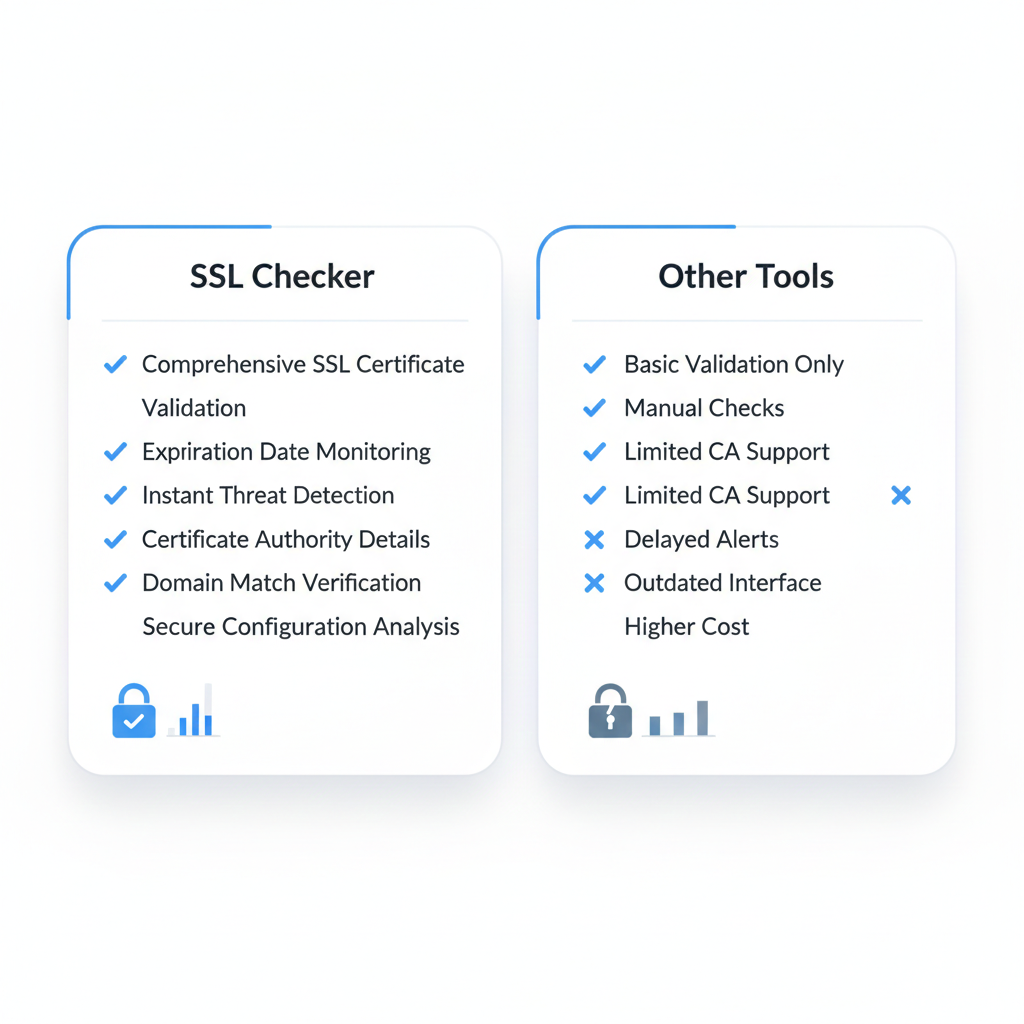
An SSL certificate checker is a diagnostic tool that analyzes your website’s SSL/TLS configuration and reports on the status, validity, and proper installation of your SSL certificate. When you enter your domain name into an SSL checker, it connects to your web server exactly as a browser would and examines the complete certificate chain – from your site’s certificate through intermediate certificates all the way back to the primary root certificate authority.
The checker verifies multiple critical aspects of your SSL implementation. It confirms whether your certificate is issued by a trusted certificate authority recognized by major web browsers like Chrome, Firefox, and Safari. It validates that your certificate hasn’t expired and checks how many months and days remain before renewal is required. Modern certificate validity periods are capped at approximately 13 months, making expiration tracking essential for maintaining uninterrupted secure access.
An SSL certificate checker also identifies hostname mismatches where the domain name on the certificate doesn’t match your actual domain, detects incomplete certificate chains missing intermediate files, and flags weak encryption protocols like outdated Triple DES ciphers that browsers now consider insecure. For US-based businesses where even brief security warnings can cost customer trust and conversion rates, these validation checks are crucial.
The tool examines your certificate’s technical details including the CSR (certificate signing request) information used during issuance, the certificate file format (whether .crt file, .cer file, or PEM file), and verifies that your private key matches the public key in the certificate. This comprehensive analysis goes far beyond what casual website monitoring might catch, identifying problems before they impact user experience or search rankings.
How Does the SSL Certificate Checker Work?
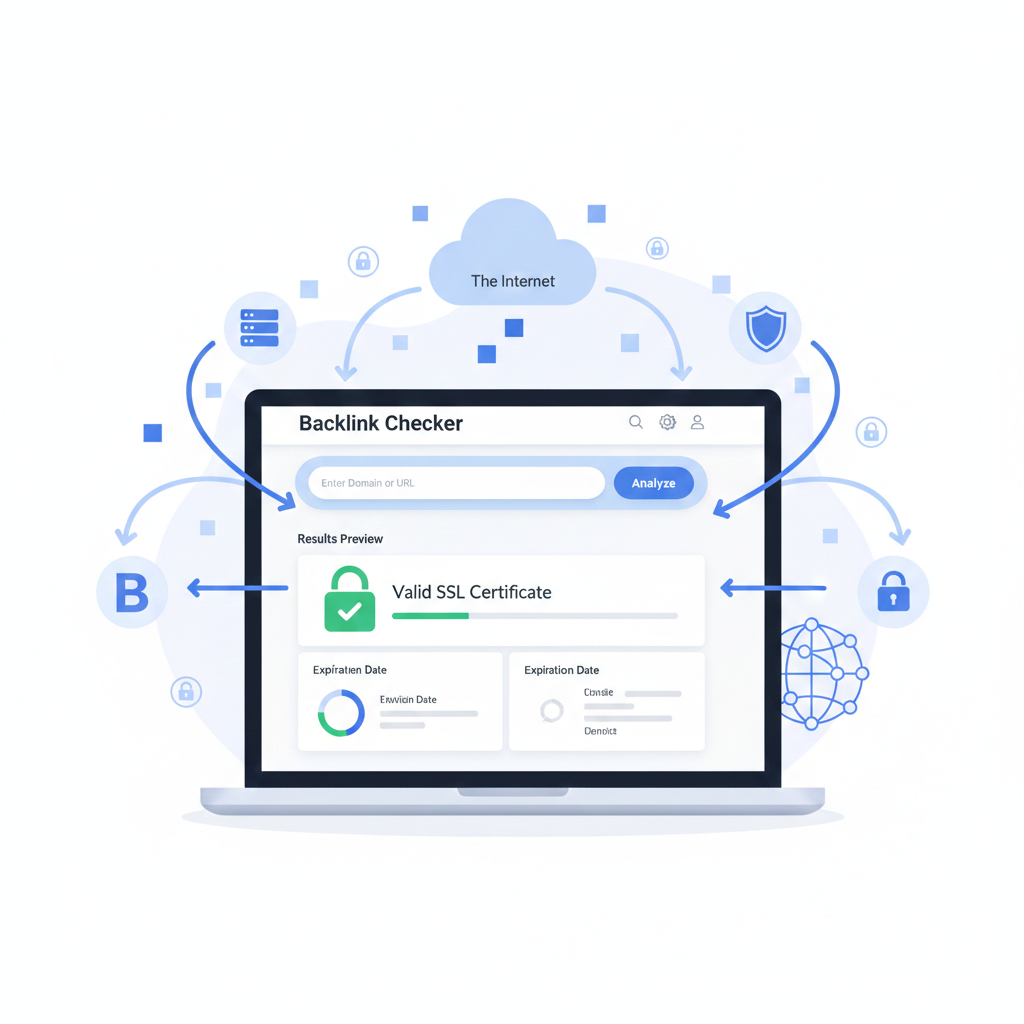
The SSL certificate checker operates through a multi-step validation process that mirrors how web browsers evaluate certificate trust. When you submit your domain name to an SSL checker like SSL Shopper or similar SSL certificate tools, the system initiates an HTTPS connection to your web server and retrieves the complete certificate data presented during the SSL/TLS handshake.
First, the checker validates the certificate chain by tracing each certificate back to its issuing certificate authority. Your server presents its own certificate, which should be signed by an intermediate CA, which in turn is signed by a root CA. The checker confirms that each link in this chain is valid and that the primary root certificate is included in the trust stores maintained by major browsers. Any break in this chain – such as missing intermediate files – generates an error that the checker reports.
Next, the tool examines certificate validity dates. SSL certificates contain “not valid before” and “not valid after” timestamps. The checker confirms your certificate is currently within its validity window and calculates exactly how many days remain until expiration. This is particularly important since expired certificates trigger immediate browser warnings that block access to your site and signal quality issues to Google’s search algorithms.
The checker also performs hostname verification by comparing the common name and Subject Alternative Names (SAN) listed on the certificate against the domain name you’re actually using. For wildcard certificates that cover multiple subdomains under the same hostname, it verifies the wildcard pattern is correctly configured. Any mismatch here produces browser error messages that users encounter before reaching your content.
Technical validation includes checking the encryption strength of the connection. The checker examines which cipher suites your web server supports, verifying you’re using modern, secure encryption rather than deprecated protocols. It also tests for vulnerabilities in your OpenSSL implementation and identifies potential security weaknesses in your server configuration.
The checker runs tests for common SSL/TLS problems including protocol downgrade attacks, certificate key strength (typically requiring at least 2048-bit RSA), proper implementation of HSTS (HTTP Strict Transport Security), and whether you’re serving mixed content by loading HTTP resources on HTTPS pages. For sites using certificate formats like PKCS12 that bundle certificate and private keys together, the checker verifies these are configured correctly for your server type whether that’s Apache, Nginx, or IIS.
Throughout this process, the SSL certificate checker generates a comprehensive report detailing what’s working correctly and flagging any issues requiring attention. The output typically includes certificate details like issuer information, serial numbers, signature algorithms, key usage extensions, and the complete certificate chain. Many checkers provide a simple pass/fail indicator alongside detailed technical findings, making results accessible to both technical administrators and business owners monitoring their site’s security status.
Why Use Our Free SSL Certificate Checker?
Using a dedicated free SSL certificate checker offers advantages that go beyond what standard monitoring provides. For US businesses competing in search results where HTTPS is a confirmed ranking factor, regular certificate validation prevents the sudden ranking drops and traffic losses that come from undetected SSL problems.
Speed and convenience make free SSL checkers invaluable. Rather than manually reviewing certificate details in multiple browsers or running complex OpenSSL commands through the command line, you simply enter your domain name and receive instant feedback. This efficiency matters when troubleshooting certificate errors or verifying a new certificate installation following a CSR submission to your SSL provider.
Our free checker provides enterprise-grade validation without requiring technical expertise. While system administrators might use OpenSSL commands to examine certificates, business owners and marketing teams need accessible tools that clearly communicate security status. The checker presents findings in plain language, explaining what each validation point means and why it matters for both security and SEO.
The tool catches issues before users and search engines do. Installing a new certificate from your certificate provider involves multiple steps – generating the CSR, receiving certificate files, configuring your web server, and ensuring the complete chain is present. Even experienced administrators occasionally miss a step. Running your site through an SSL checker immediately after installation, and regularly thereafter, identifies problems while they’re still easy to fix rather than after they’ve impacted user experience or search rankings.
For organizations managing multiple sites, SSL checkers provide centralized monitoring. Rather than logging into each web server to review certificate status, you can quickly validate all your domain names through a single tool. This is particularly useful for tracking certificate expiration across portfolios where different certificates were purchased at different times from various SSL providers, including both paid organization validation certificates and free domain validation options.
The checker also serves as documentation when working with customer support teams. If you’re experiencing issues with a certificate from your SSL provider, the detailed report from an SSL checker helps technical support quickly identify whether the problem lies with certificate issuance, server configuration, or something else in the chain. This accelerates troubleshooting compared to back-and-forth emails describing symptoms.
Benefits of Using an SSL Certificate Checker
The primary benefit of regular SSL certificate checking is preventing security warnings that damage both user trust and SEO performance. Google has explicitly stated that HTTPS is a ranking signal, and research from tools like Semrush and Moz confirms that secure sites dominate search results. When certificate problems trigger browser warnings, users abandon the site immediately – creating the poor engagement metrics that signal quality issues to search algorithms.
Certificate checkers identify expiration risks well in advance. Given that certificate validity is now limited to roughly 13 months, and free certificates from services like Let’s Encrypt renew every 90 days, tracking expiration dates across multiple properties becomes complex. Automated checking provides early warnings at 60 days, 30 days, and closer intervals, ensuring renewal happens before the certificate expires and browsers start blocking access.
The tools validate that your entire certificate chain is properly configured. Incomplete chains are among the most common SSL errors – the certificate authority issues your certificate along with intermediate files, but if those intermediates aren’t installed on your web server, browsers cannot validate the chain back to the trusted root. This creates compatibility problems where some browsers accept the certificate while others reject it. SSL checkers catch these inconsistencies immediately.
For sites that have migrated to HTTPS, checkers verify redirect implementation. Proper SEO requires that all HTTP URLs redirect to their HTTPS equivalents using 301 redirects, preserving link equity and ensuring search engines index the secure version. The checker confirms these redirects work correctly and identifies any redirect chains or loops that could dilute ranking value.
Checkers also validate that your certificate matches your site architecture. If you’re using a wildcard certificate to cover subdomains, the checker confirms the wildcard pattern is configured correctly. For multi-domain certificates covering several distinct domain names, it verifies all intended domains are included in the SAN list. These validation checks prevent the frustrating scenario where you believe you’re covered but certain subdomains or alternate domains still trigger security warnings.
The tools provide ongoing security monitoring beyond initial installation. Vulnerabilities emerge over time as researchers discover weaknesses in older encryption protocols and certificate authorities occasionally have security incidents requiring certificate reissuance. Regular checking through SSL certificate tools alerts you to these evolving issues, allowing proactive updates before problems impact your site.
From a business perspective, SSL checkers deliver peace of mind for non-technical stakeholders. Marketing teams and executives can verify their web properties are secure without needing to understand the technical details of certificate signing requests, private keys, or OpenSSL commands. The clear pass/fail indicators and plain-language explanations make security status accessible to everyone responsible for the site’s success.
For US-based businesses where internet users have high security expectations and abundant alternatives, maintaining perfect SSL configuration isn’t optional – it’s a competitive requirement. Regular use of an SSL certificate checker ensures your site consistently presents the secure, trustworthy experience that both Google’s algorithms and American consumers demand.